
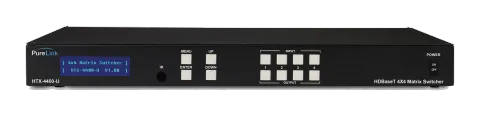
Abgekündigt
PRO-HTX-4400-U
HDTools 4x4 HDMI HDBaseT Matrix - Ultra HD
HDTools 4x4 HDMI HDBaseT Matrix – Ultra HD.
HandbuchSteuerbefehle (TCP/IP)FAQCEVerfügbare Steuerschnittstellen. Klappen Sie einen aktiven Typ auf, um die vollständige Befehlstabelle zu sehen.
Keine passenden Befehle.
RS-232/Ethernet Command Code Interface3 BefehleAktiv
Quelle: Handbuch, Kapitel Chapter 2. Communication Code Configuration, Seite 21
| Befehl | Beschreibung | Beispiel | Antwort | |
|---|---|---|---|---|
| *999CI#O#! | Verbinde Input # mit Output # | *999CI01O01! ↵ Connect Input 1 to Output 1 | *999sC I#O#! | |
| *999CI#O# | Command code without end character causes Command Code Error | *999CI01O01 ↵ Command was not executed because “!” (End) was not included | Command Code Error | |
| *255?version! | Firmware-Version prüfen | *255?version! ↵ |
RS232-Befehle14 BefehleAktiv
Quelle: Handbuch, Kapitel Disconnecting Switches, Seite 22
| Befehl | Beschreibung | Antwort | |
|---|---|---|---|
| *999DI#O#! | Disconnect command. Replace the '#'s with the input and output number(s). | ||
| *999DI01O00! | Disconnect Input 1 to no Output (00) | ||
| *999DI00O03,04! | Disconnects Outputs 3, and 4 | ||
| *999DI00O03-04! | Disconnects output 3, and 4 | ||
| *999DALLIO! | Disconnects all inputs and outputs | ||
| *999EDIDI01E3! | EDID Setting. E1–E23 are EDID codes (see list). | ||
| *999BeepON! | Signalton An | ||
| *999BeepOFF! | Signalton Aus | ||
| *999lockon! | Frontbedienfeld-Tasten Sperre an | ||
| *999lockoff! | Frontbedienfeld-Tasten Sperre aus | ||
| *999poweron! | Einschalten | ||
| *999poweroff! | Ausschalten | ||
| *999restore! | Werkseinstellungen wiederherstellen | ||
| *999reboot! | Neustart |
Status Check Commands3 BefehleAktiv
Quelle: Handbuch, Kapitel Status Check, Seite 23
| Befehl | Beschreibung | Beispiel | Antwort | |
|---|---|---|---|---|
| *999?I#! | Check Output connection status on Input 1 (replace # with input and output number(s)) | *999?I01! | ||
| *999?ALLIO! | Alle Ein- und Ausgangsverbindungsstatus prüfen | |||
| *999?version! | Firmware-Version prüfen |